

One till for cafés, restaurants and shops.
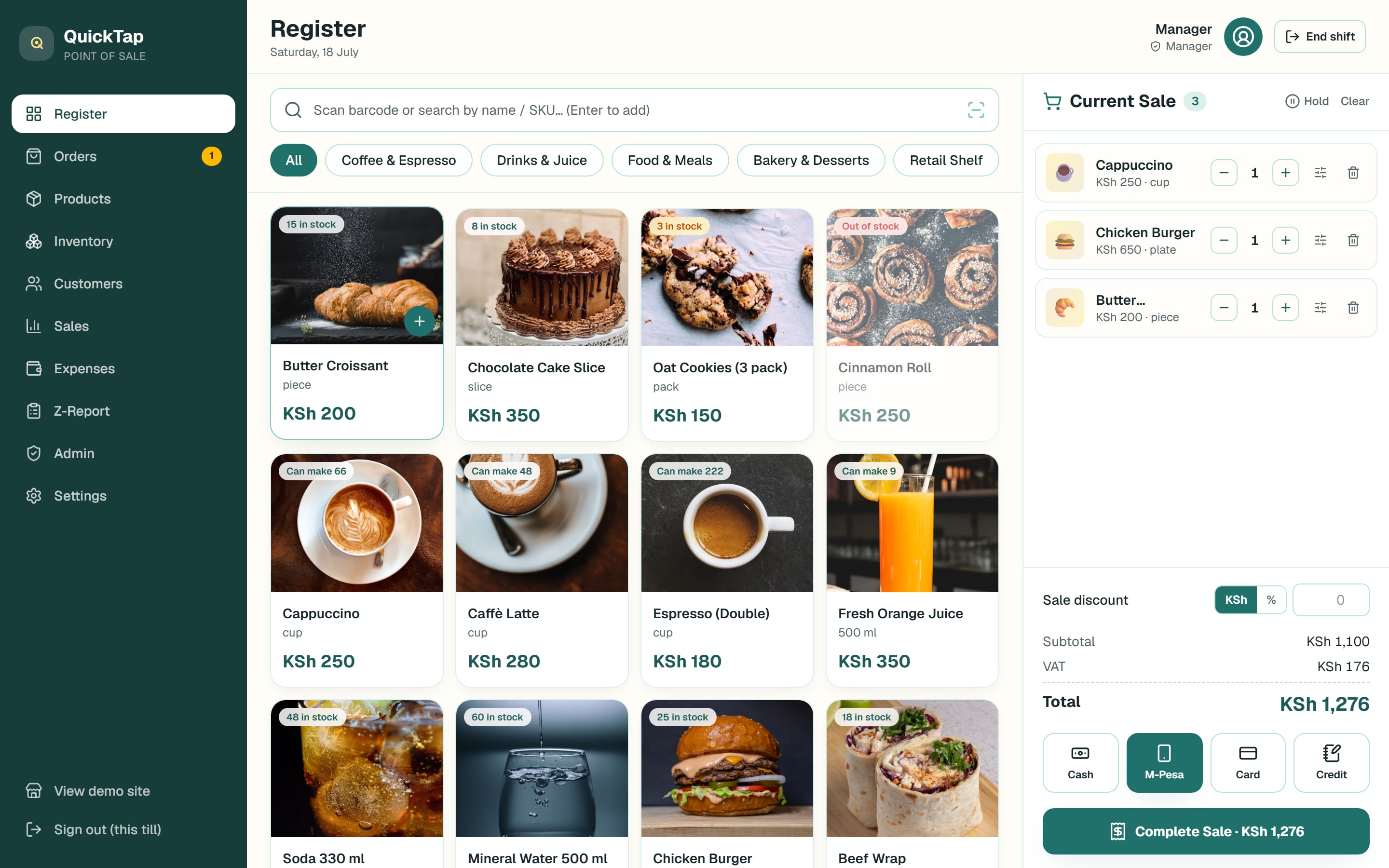
Register, inventory, recipes, online orders, receipts, customers and reports — the whole counter in one app. This page opens a live demo with throwaway data: sell things, break things, refund things.
No sign-up — the demo passcode is printed on the receipt below.
Printer-ready
80 & 58 mm thermal receipts
Tenders
M-Pesa, cash, card & credit
Multi-till
Stock stays in sync across devices
Installable
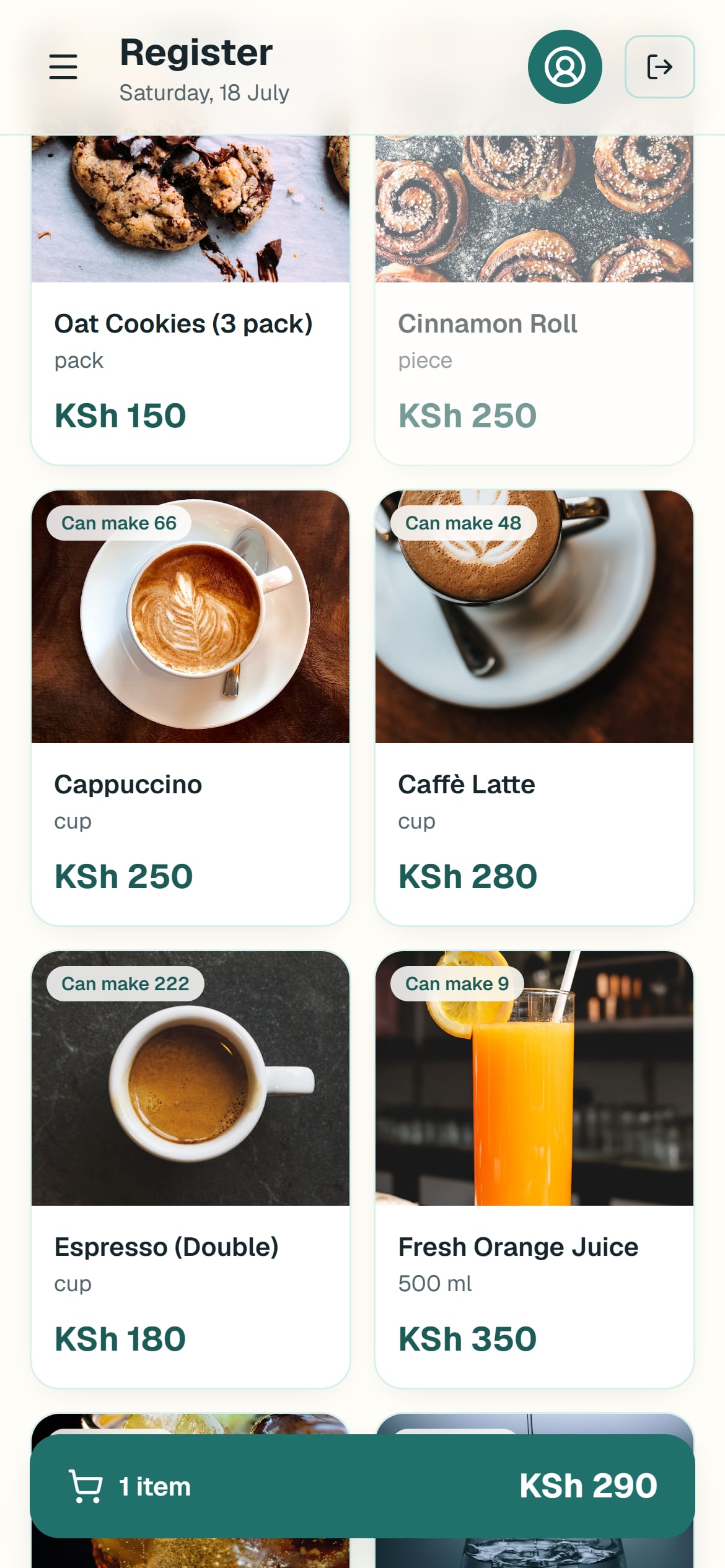
Add to home screen on any device
Already live in the wild — a production grocery till in Nairobi, and QuickTap menus for





Orders queue
Online orders land in the till
Website orders drop straight into the POS with a chime — no tablet farm, no retyping. Work each one through Preparing and Out for delivery; completing it records the sale and deducts stock.
- New-order chime within 20 seconds
- One tap moves an order to the next step
- Completing records the sale + stock movement
Recorded live from this demo — no mock-ups
Sales & reports
Numbers the owner actually reads
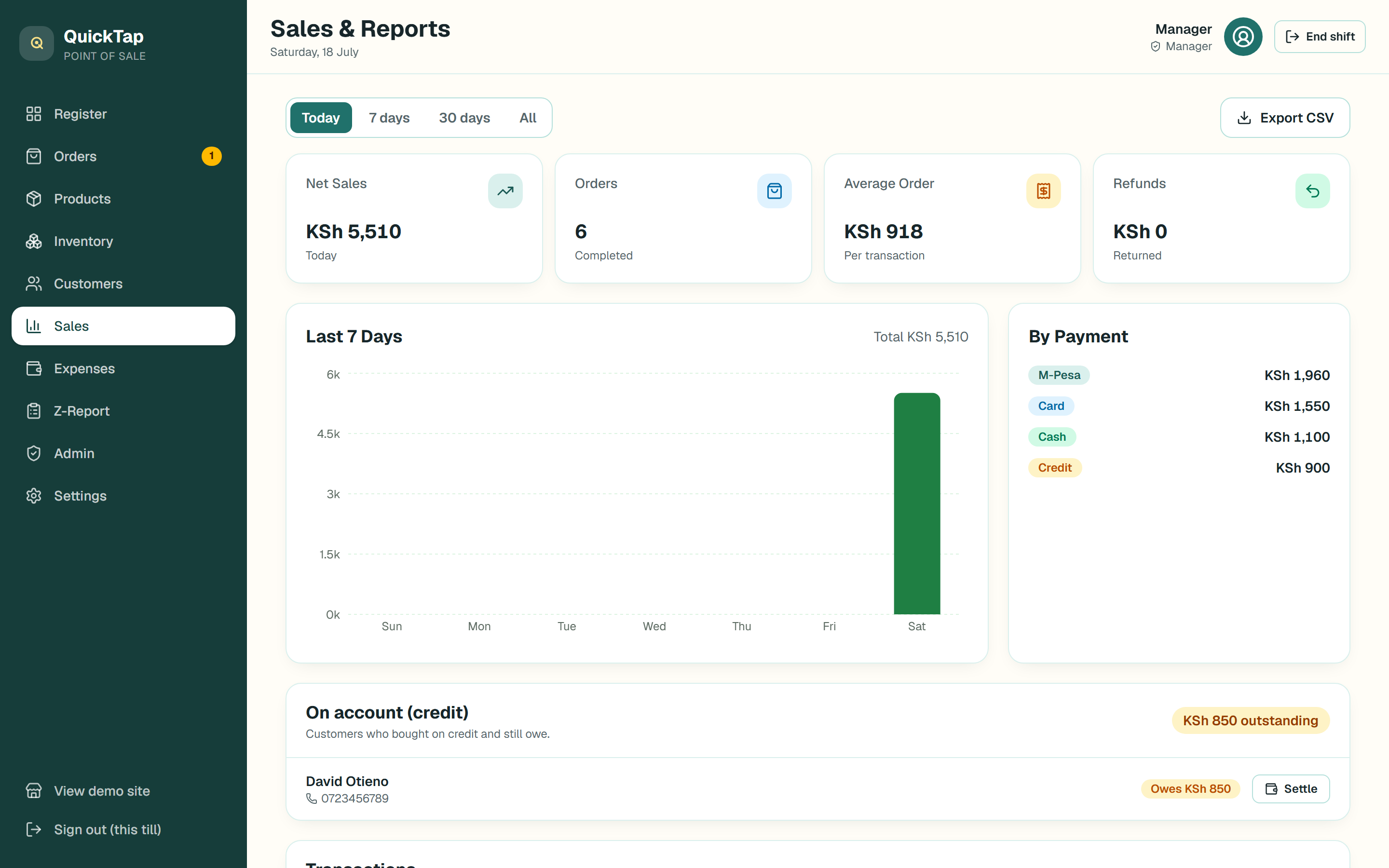
Net sales, orders and average ticket for today, the week or the month — split by payment method and cashier. On-account credit is tracked per customer until it's settled, and everything exports to CSV.
- Sales by day, cashier and payment method
- Credit book: who owes what, settle in a tap
- Z-report for every shift's cash-up
Inventory
Stock that matches the shelf
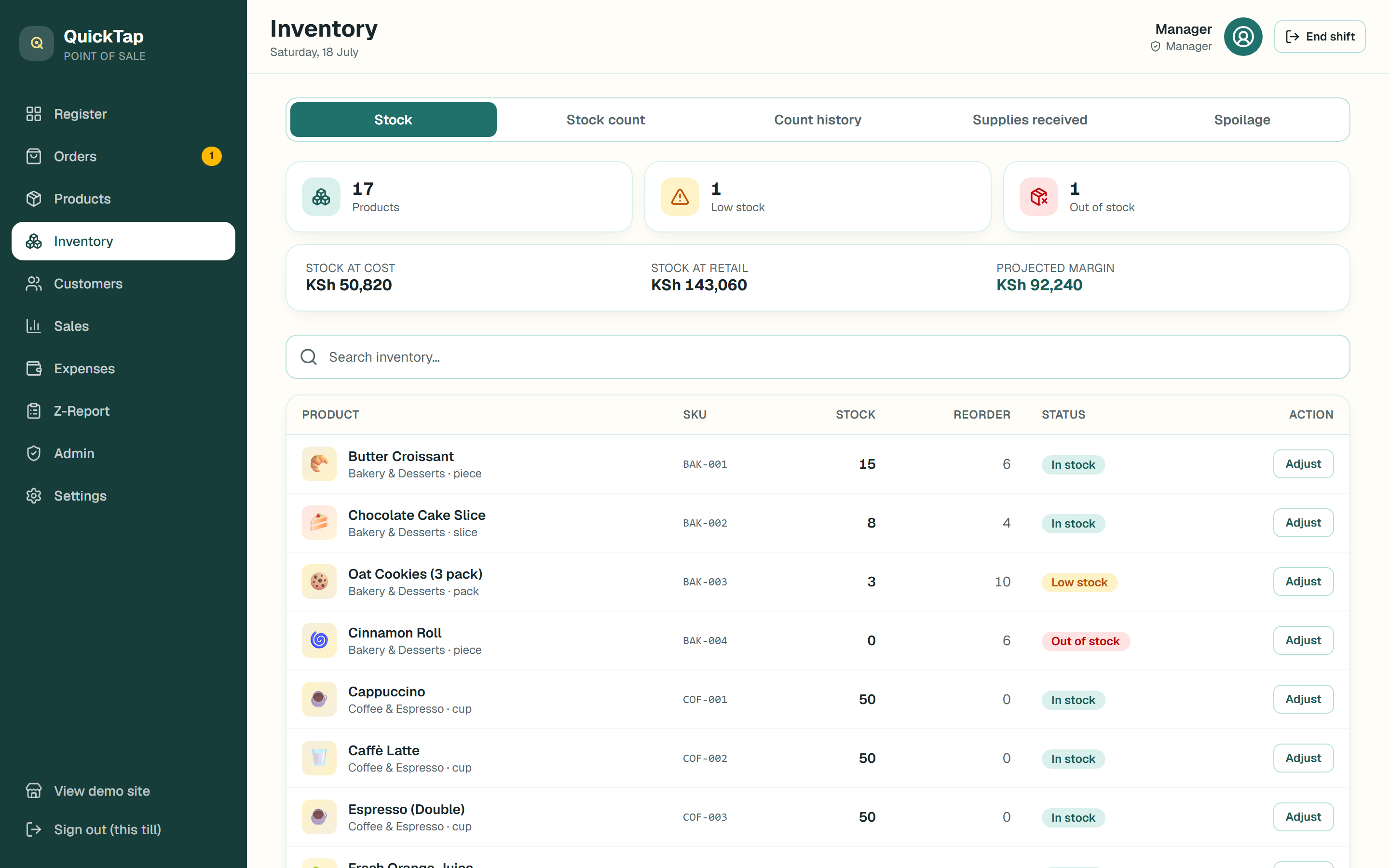
Deliveries, stock counts and spoilage write-offs all move the same ledger, so counts stay auditable. The stock page values everything at cost and retail and flags what needs reordering.
- Low-stock and out-of-stock alerts on the register
- Stock valued at cost, retail and projected margin
- Every movement ledgered — nothing edited in place
Also in the box
Everything else a counter needs
The whole counter in ten seconds
Fast register
Tap-to-sell tiles, barcode scanning, weighed items, discounts — with change worked out for you.
Receipts that print
Thermal receipts auto-print on sale. Tested on a real Epson till printer, not just a PDF.
Recipes & ingredients
A latte deducts beans and milk, not “1 latte”. Live “can make” counts for the kitchen.
Customers & loyalty
Phone lookup, on-account sales (“weka kwa book”), credit settling and automatic points.
Cash-up & staff PINs
Opening floats, counted-cash variance per shift, and a manager-only admin console.
Any device
Installs as an app on phones, tablets and desktops. Several tills sell at once, in sync.
Try it now
Sixty seconds behind the counter
- 1Open the demo POS in a new tab.
- 2Unlock the till with the shop passcode demo2026.
- 3Sign in as Manager with PIN 9999 — cashier PINs see less on purpose.
- 4Ring up a cappuccino and complete the sale — watch the stock move.
- 5Come back here and simulate an online order, then listen for the till chime.
QUICKTAP POS
DEMO RECEIPT · NAIROBI
SHOP PASSCODEdemo2026
JOY · CASHIER1111
KEVIN · CASHIER2222
MANAGER · ADMIN9999
TOTALKSh 0.00
(the demo is on us)
The Manager PIN unlocks Sales, Admin and the activity log. Demo data is throwaway — sell things, break things, refund things.
** ASANTE · KARIBU TENA **
Straight answers
Questions owners ask
What do I need to run it?
Any phone, tablet or computer with a browser — it installs like an app. A thermal receipt printer and a barcode scanner are optional add-ons, not requirements.
Does it work with my receipt printer?
Any standard 80 mm or 58 mm thermal printer works. Receipts auto-print on sale, and paper width, text size and feed are tunable per device. We test on a real Epson till printer.
Can I take M-Pesa?
Yes — every sale is recorded as M-Pesa, cash, card or on-account credit, with the M-Pesa code saved on the receipt and totals split by method in the reports.
Can you load my existing products?
Yes. Send your stock list — a spreadsheet, or even photos of the counter book — and it's loaded before handover with barcodes, cost prices and opening stock.
Is my data shared with anyone?
No. This demo is a shared sandbox, but every client till runs on its own private database with its own passcode and staff PINs.
How much does it cost?
It depends on how many tills you run and which add-ons you want (online storefront, QR menu). WhatsApp us for a quote — most shops are live within days.
Yours, branded and live in days
The same system runs groceries, cafés, juice bars, butcheries and boutiques — with your name, your catalogue, your printer and your own private database. Optional add-ons: an online storefront that feeds the orders queue, and a QR menu for tables.
Talk to us on WhatsApp